ZIPZAX review: a free online toolkit for everyday tasks
A review of ZIPZAX, a free online toolkit with 475+ tools for PDFs, images, video, developers and AI tasks.
3 min readAI-assisted, reviewed by our editors
What is ZIPZAX?
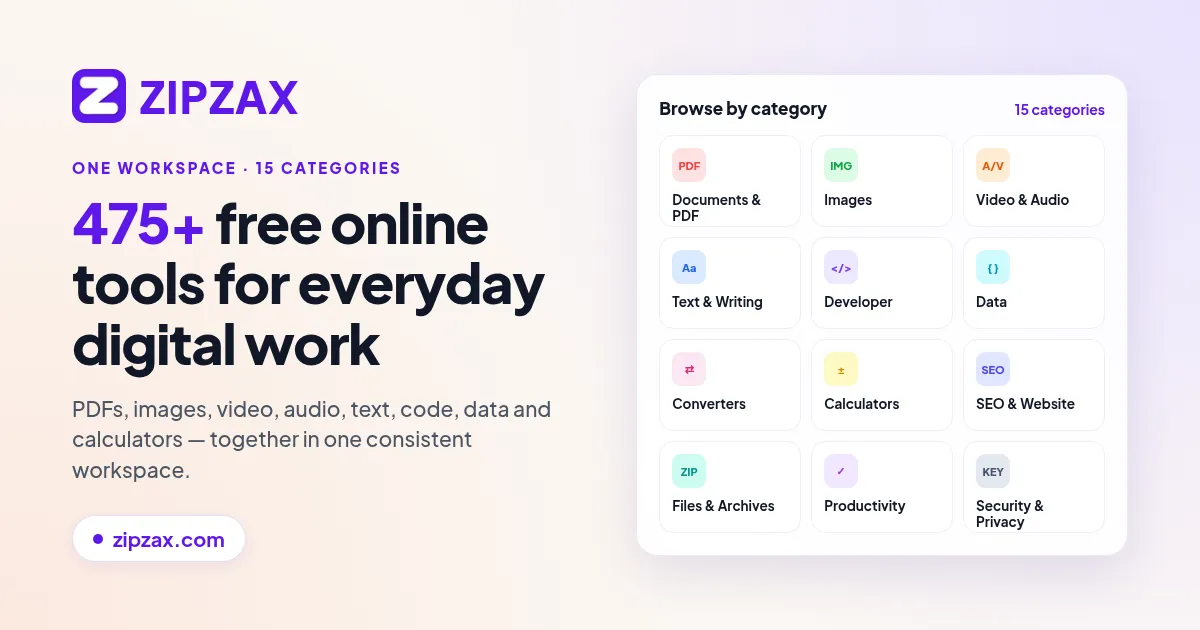
ZIPZAX is a free web-based toolkit offering over 475 online utilities for handling PDFs, images, videos, developer tasks and AI-powered text processing. The platform consolidates tools for document conversion, image editing, media compression and content generation in one place, aiming to simplify routine digital tasks. Built by a small independent team in Lisbon, ZIPZAX operates as a single-page web application without downloads or installations.
Who is ZIPZAX for?
The toolkit serves individuals and teams who need quick access to specialized utilities without managing multiple subscriptions or software installations. Its broad toolset caters to:
- Content creators needing image compressors or video converters
- Office workers handling frequent PDF edits and document conversions
- Developers requiring encoders, formatters and debugging tools
- Writers and marketers using AI tools for summarization and paraphrasing
Main features of ZIPZAX
The platform organizes its utilities into five functional categories:
- Document tools: PDF converters, compressors and editors
- Media utilities: Image resizers, video trimmers and audio extractors
- Developer aids: Code formatters, validators and test data generators
- AI toolkit: 57 tools for text rewriting, summarizing and paraphrasing
- Miscellaneous helpers: Unit converters, generators and calculators
All tools operate directly in the browser with no file size limits mentioned in the vendor's published information.
Pricing and plans
ZIPZAX is entirely free with no paid tiers or subscription requirements. The vendor does not specify any usage limits or premium features in their listing. For detailed specifications, see the tables below.
Platforms and integrations
The service runs exclusively as a web application with no native desktop or mobile apps mentioned. No API or third-party integrations are described in the vendor's listing.
What to check before choosing ZIPZAX
Consider these factors when evaluating the platform:
- Web-only access: The lack of offline functionality may limit use in low-connectivity scenarios
- Feature depth: While broad in scope, specialized tools may lack advanced options found in dedicated applications
- Data handling: Review the privacy policy for information on file processing and retention
- Comparison: Evaluate alternatives like Todowing for document workflows or Ferrocast for media editing if you need more specialized capabilities
How ZIPZAX compares to alternatives
- Versus tududi: tududi focuses specifically on document collaboration, while ZIPZAX offers a wider array of single-user utilities
- Versus ONLYOFFICE: ONLYOFFICE provides deeper office suite functionality but lacks ZIPZAX's media and developer tools
- Versus Lunatask: Lunatask specializes in task management rather than utility toolkits
For detailed comparisons, see:
Who ZIPZAX suits best
ZIPZAX works well for:
- Casual users needing occasional access to diverse tools without managing multiple accounts
- Small teams requiring a free, centralized resource for basic media and document processing
- Individuals who prioritize breadth of functionality over specialized depth
- Those seeking AI writing aids alongside practical utilities in one interface
For more productivity tools, browse the productivity category or see our productivity app recommendations.
AppFinder data
Generated from the listings and accepted facts on AppFinder, not written by hand. "Not listed" means we have no confirmed value yet.
ZIPZAX key facts
| Fact | Value |
|---|---|
| Pricing | Free |
| Free plan | Yes |
| Starting price | Not listed |
| Platforms | Web |
| Listed features | 0 |
| Listed integrations | 0 |
| Platforms | Web |
More on AppFinder
Share this article